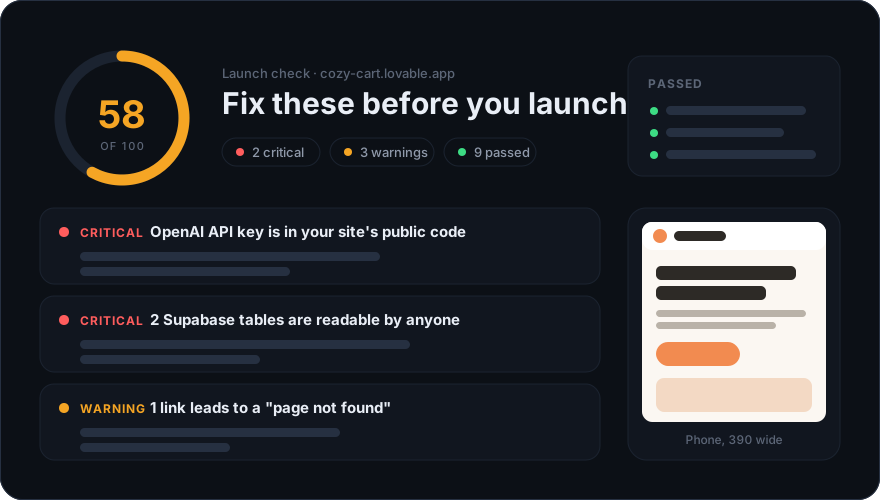
What the vibe coding security check looks at
The check runs the way a curious visitor, or someone looking for a free API key, would: from outside, with no password and no access to your code. Here is everything it does.
Secret keys in the code you ship
Everything a browser downloads is public, including the JavaScript your builder bundled. The check reads your page and the scripts it loads, up to 12 MB, and looks for live keys from OpenAI, Anthropic, Stripe, Supabase (secret and service_role keys), AWS, GitHub, SendGrid and Resend, and for private keys. A key it finds is shown masked, and the full value is never stored.
Database tables without access rules
If your page ships a Supabase public key, the check asks Supabase how many rows each table would hand to a visitor who is not signed in. It asks for the count only, never for the rows. A readable table with a name like users, profiles, orders, payments or messages is marked critical.
Files that should never be public
/.env and /.git/config, the two files that most often leak keys and source code when a project folder is deployed as it is. The site must not hand either of them out.
Things that are already broken
JavaScript errors while the page loads, requests that fail, images that never appear, and up to six links on your home page that lead to a "page not found", including pages that show one while the server answers as if all were well.
Phones, search and speed
The page on a phone-sized screen (sideways scrolling, a missing viewport tag), a title still reading "Vite + React", a missing description or share image, HTML that stays empty until JavaScript runs, and how long the page takes to load.
Why vibe-coded apps leak
The problems behind most vibe coding security failures are not clever attacks. They come from three habits of AI app builders, and none of them show up while you click around your own app.
- Paid APIs called from the browser. Ask for a chatbot and the quickest version that works calls OpenAI straight from the page, with the key bundled into the JavaScript. Anyone can open developer tools and copy it, and the bill comes to you.
- A database treated as private. Supabase is designed to be called from the browser with a public key, and row-level security (RLS) is what keeps each user's rows away from everyone else. A table without it is open to anyone holding the public key, which means every visitor. In 2025 a researcher found 170 of 1,645 apps made with Lovable exposing data this way, tracked as CVE-2025-48757.
- Fixing forward. Each prompt rewrites code. A policy or a check that existed yesterday can disappear in today's refactor, and nobody looks again until a user notices.
How the check stays safe for your app
- It behaves like one visitor: one page load on a desktop screen, one on a phone screen, up to six linked pages and two requests for private files. It submits no forms and sends no attack payloads.
- It says who it is. Every request carries
testruna/0.1 (+https://testruna.com/bot)in its user agent, and the TestRuna bot page explains how to recognize or block it. - Database questions use a request that returns a row count and no rows. Keys appear masked in the report and are never stored in full.
- Requests to analytics services are blocked, so the visit does not show up in your statistics.
A vibe coding security checklist for launch day
Whatever the report says, these eight steps cover the mistakes we see most in apps built with AI.
- Move every secret key to the server: a Supabase Edge Function, an API route or your builder's secrets panel. The browser should only ever see keys that are meant to be public, such as a Supabase anon or publishable key or a Stripe publishable key.
- Rotate any key that was ever in the browser. Deleting it from the code is not enough: old bundles stay in caches, and the key may still be in your Git history.
- Turn on row-level security for every table and write a policy for each action, usually “people can read and change their own rows”. A table with security on and no policy is closed to everyone, which is a safe place to start.
- Keep the
service_roleorsb_secret_key out of front-end code. It skips every policy you wrote. - Check storage buckets too. A public bucket serves every file in it to anyone who has or guesses the link.
- Keep
.envout of what you deploy and out of Git. Add it to.gitignorebefore the first commit, not after. - Sign up with a second account and make sure it cannot see or change the first account's data. This catches most real leaks, and no outside check can do it for you without signing in.
- Run the vibe coding security check again after big changes. An AI edit can quietly undo a fix from last week.
What a free check cannot tell you
It sees what an anonymous visitor sees on your home page and the pages it links to. It does not sign in, so it cannot reach pages behind a login, it cannot read your server code, and it does not test whether your features work: whether sign-up sends the email, whether checkout charges the right amount, whether search finds anything at all.
That is what TestRuna's full browser tests are for. They map every feature of your app, click through each one in a real browser, record each step with a screenshot and run again after every change you make. New accounts get 100 free credits a month, and the pricing page lists the rest. You can also open the workspace and start from your app's address.
Vibe coding security check questions
Is the vibe coding security check really free?
Yes. You can run 5 checks a day from one network without an account, and 20 a day once you sign up. There is no card to enter and no trial that turns into a subscription.
Who can see my report?
Anyone you send the link to sees the score and the kinds of problems found. Where each problem is, and the prompt to fix it, are shown only to you once you sign up from the browser you ran the check in. Reports are not listed or indexed anywhere, and they are deleted with their screenshots after 30 days.
It found a leaked key. What should I do first?
Rotate it in the dashboard of the service it belongs to, before anything else. Then move the call that needs it to the server. Taking the key out of your code without rotating it leaves it working for anyone who already copied it.
Can I check an app I did not build?
Only with its owner’s permission. The check reads nothing that is not already public, but our terms limit it to apps you own or are allowed to test. If you come across a leak in someone else’s app, tell the owner privately rather than posting it.
Does it work for apps that were not built with AI?
Yes. Nothing in the check depends on how the app was made. It recognizes apps from Lovable, Bolt, v0, Replit and Base44 so that each fix prompt is written for that builder’s chat, and writes a general prompt for anything else.
Will it show up in my analytics or change anything on my site?
No. It blocks requests to analytics and tracking services, submits no forms, clicks nothing that changes data and sends no attack payloads. It loads your pages the way a single visitor would.